


Voice Changer & Sound Effects
4.4598.00 Reviews
App Specs
- Version
- 3.2.4
- Updated On
- License
- Free
- Downloads
- 10,000,000+
- Developer
- BizApp Inc.
- Categories
- Personalization
- Platform
- Android, iOS
Screenshots
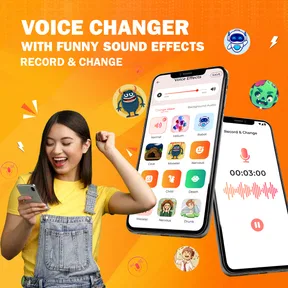
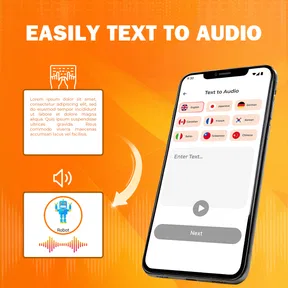
 Analysis by AppCompare
I usually reach for a voice-effects app when I want to make a voice note less ordinary or give friends a quick laugh. Voice Changer & Sound Effects is built around that simple idea: record speech or work with an audio file, then give the sound a different character. It is a playful personalization app rather than a full audio workstation, and that distinction helps set the right expectations before you start.
Its appeal is easy to understand, but the best results still depend on a few practical choices: a clear recording, a suitable effect and a sensible place to share the finished clip. If you want a quick creative tool for casual audio, it is worth exploring. If you need precise production controls or a live voice filter for calls, you may be happier with a different kind of app.
Making the first recording feel straightforward
First things first, downloading and setting up Voice Changer & Sound Effects is a breeze. Available on both Android and iOS, it takes just a few taps to get started. Once you open the app, you’re greeted with an intuitive interface that's easy to navigate, even if technology isn’t really your thing.
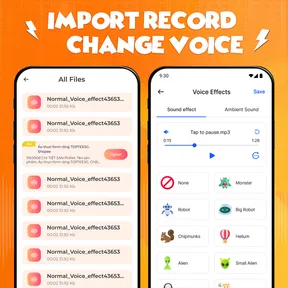
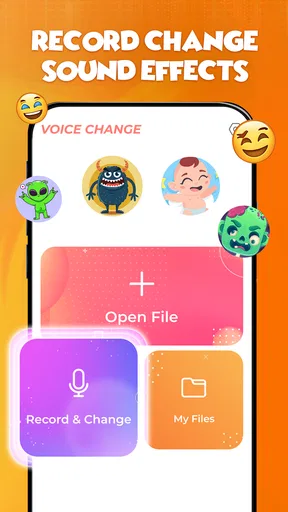
The app allows you to record your voice directly or use existing audio files to apply any of the numerous effects. There’s a handy record button that makes capturing your voice super simple. Trust me, you won’t need a degree in sound engineering to figure this one out!
For a first test, I would keep the recording short and say a phrase with a mix of vowels and consonants. A line such as “I’ll meet you after lunch” gives you more to judge than a single sustained sound: you can hear whether the altered voice stays understandable as the words change. This quick check is useful before recording a longer joke or message, because it lets you compare effects without spending time polishing a clip that does not suit the source.
Choosing an effect without losing the words
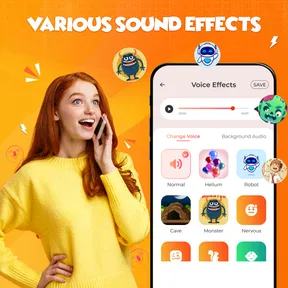
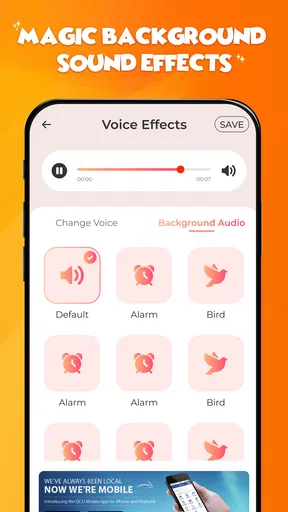
Now, let’s talk about the fun stuff— the sound effects. There’s a wide range of options to choose from. Whether you want to sound like you’ve just inhaled a helium balloon or you’re channeling your inner Darth Vader, there’s something here for everyone. I particularly enjoyed the alien and zombie effects, which had me and my friends in stitches.
Each effect is customizable to your liking. You can adjust the pitch, speed, and other parameters to create a truly unique sound. It’s like having a mini recording studio in your pocket. And if you're feeling a bit more creative, you can even combine different effects for a more personalized touch.
Worth Reading Before You Choose

EA SPORTS FC Mobile 26 Is a Bigger Football Game, but It Takes Time

Flipboard Shows What News Apps Must Do Beyond the Feed

Switching to Android Auto Means Rethinking Your Driving Routine

Google Calendar Makes a Crowded Week Easier to Manage

Ludo King Makes the Most of the Minutes Between Plans

Baby Panda World Brings Quick Play to Modern Phones, but Its Game Library Feels Busy
My practical tip is to change one setting at a time. When pitch and speed both shift together, it can be hard to tell which adjustment made a clip funnier—or which one made the words difficult to understand. Start with a recognizable phrase, make a small change, and listen again before adding another layer. That approach gives you more control and makes it easier to recreate a sound you like.
There is a trade-off between character and clarity. A strongly altered voice can work brilliantly for a short punchline, but it may become tiring or unintelligible over a longer recording. For a message someone needs to understand, I would favor a subtler result and keep the original wording clear. If the goal is a deliberately silly sound, clarity can take a back seat; the right balance depends on whether the clip is meant to communicate or simply entertain.
Using clips in ordinary situations
A realistic use is making a playful birthday message during a break. I would record a short greeting, try a couple of effects, and choose the version that still sounds like a greeting rather than a jumble of noise. Then I could send the clip to a friend through a messaging app. Because the recording is brief, it is easy to redo if I stumble over a word or dislike the effect, and the recipient gets a small surprise without needing to install the same app.
Another good fit is adding a distinct voice to a casual social post or a character line in a homemade skit. The app is most useful when the recording is the main joke or creative detail, not when you need a complicated mix of dialogue, background music and carefully timed edits. I would prepare the words first, leave a little pause at the beginning and end, and record somewhere quiet. Those small choices make a transformed voice sound more intentional and give you cleaner points to trim or share.
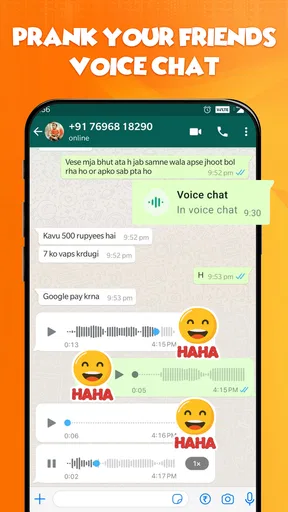
Once you’ve created your masterpiece, sharing it is as easy as pie. The app integrates smoothly with social media platforms, allowing you to share your altered voice clips with friends and followers instantly. Whether it's a funny voice memo or a cleverly disguised prank call, spreading the fun is just a tap away.
For those who prefer keeping things within their circle, you can also send your clips via messaging apps or save them directly to your device. It’s all about making sure your hilarious creations don’t stay hidden!
Before sharing, I recommend listening to the exported or saved clip from start to finish rather than judging it only inside the editing screen. Check that the opening is not cut off, the final word is audible and the sound is appropriate for the audience. A joke that works in a private chat may not land the same way in a public post, so I would treat the sharing step as a chance to review the clip, not just distribute it.
When a recording or effect does not behave as expected
If the result sounds wrong, I would troubleshoot in a simple order instead of immediately assuming the effect is broken. First, record a fresh, short sample and listen to it before applying anything. Speak at a steady pace, keep the phone at a comfortable distance and avoid recording next to a fan, traffic or a loud television. A clean source gives the effect more to work with and makes comparisons fair.
If an imported audio file is the problem, try a different file you can access on the device and see whether that behaves differently. This helps separate a source-file issue from an effect choice. If a clip appears quiet or unclear after transformation, check the original recording too: an effect cannot reliably repair speech that was already muffled, very distant or drowned out by background noise.
When a clip will not share as expected, save it to the device first if that option is available, then try sending it through your usual messaging app. If the issue happens only in one destination, the destination app or its connection may be involved rather than the voice effect itself. I would also close and reopen the app before repeating a failed action, and make sure there is enough device storage for audio files. These are ordinary checks, but they often narrow down where the snag occurs.
One useful workflow safeguard is to keep an untouched original recording until you are happy with the altered version. That gives you a clean starting point if you change your mind about the effect or want to make a second take with different settings. It also avoids the frustration of repeatedly adjusting a clip whose source has already been changed or overwritten.
Where this tool fits among alternatives
Compared with a basic voice recorder, this app is more entertaining because it gives a plain spoken clip a comic or imaginative twist. A standard recorder is still the better choice when you want a dependable, unaltered memo or a simple record of a meeting. Compared with a dedicated audio editor, this app puts less emphasis on detailed production and more on getting from speech to an amusing result without a steep learning curve.
It is also worth distinguishing recorded voice effects from live voice changing. The experience described here centers on recording or using audio files and applying effects; I would not choose it on the assumption that it changes my voice in real time during a call or game. Someone who specifically needs live voice processing should look for a tool designed and clearly described for that workflow. Likewise, a creator assembling a polished podcast or layered soundtrack will likely want the deeper editing controls of a dedicated editor.
The app is a better match for people who enjoy experimenting, making short character voices, or adding a bit of personality to a voice note. It is less suitable for anyone who needs consistently natural speech, professional audio finishing or a live filter. That is not a flaw so much as a question of choosing the right tool: its charm lies in quick transformations, not in replacing a full recording setup.
Why It’s Worth Trying
So, why should you give it a shot? Well, apart from the endless fun and laughs, it’s a fantastic way to add some flair to your voice notes or spice up your social media content. Plus, it’s a hit at parties—nothing breaks the ice quite like a guest suddenly speaking like a robot!
The app is also great for creating unique ringtones and alerts. Imagine waking up to the sound of your own voice wishing you a good morning, only in a hilarious chipmunk tone. It’s both practical and amusing!
That kind of personalization is most rewarding when the clip has a clear purpose: a recognizable notification, a character greeting or a one-line joke. I would avoid turning every alert into a long recording, since a sound that is funny once can become distracting when it repeats. Keeping custom clips short makes them easier to recognize and less likely to wear out their welcome.
Who should give it a go
BizApp Inc. makes this free personalization app, and the combination of a simple recording path and playful effects will suit casual users who want to experiment without learning a complicated editor. It has an average rating of 4.4 from around 41,000 ratings, with more than 10 million installs, so it has found an audience well beyond people who only want to test one novelty effect. The app is rated for Everyone, and it is currently at version 3.2.4, with Android 7.0 as the minimum operating-system requirement.
It is free to download, while in-app purchases are listed at $9.99 per item. I would try the basic experience first and decide whether the available effects and editing feel useful for the way I actually make clips before considering any paid item. That is especially sensible if you only want an occasional joke or a one-off character voice rather than a regular audio hobby.
Parents may find the playful premise easy to understand, but I would still guide younger users when they record or share audio. A transformed voice does not make a private message private, and children should know who will receive a recording before it is sent. For adults, the same common-sense check applies: avoid putting personal details into a clip intended for a public post, especially when the joke works just as well without them.
Final Thoughts
In a world where apps are a dime a dozen, this one stands out by offering pure, unadulterated fun. It’s user-friendly, versatile, and most importantly, it brings a smile to your face—something we could all use a little more of these days.
Whether you’re looking to prank your friends or simply unleash your creativity, this app is definitely worth a download. So go ahead, give it a try, and let your voice be heard in the most entertaining way possible!
My recommendation is to approach it as a compact creativity tool: record a clean, short sample, make deliberate adjustments, and listen once more before sharing. That routine helps the effects feel like a choice rather than a random filter, and it makes the app more useful beyond the first laugh. If you want quick character voices and playful audio for friends, it is an easy app to try; if accuracy, natural sound or advanced editing matters most, a conventional recorder or dedicated audio editor is the more sensible choice.
Pros
- Wide variety of voice effects available.
- Real-time voice modulation feature.
- User-friendly interface for easy use.
- Compatible with most devices and apps.
- Regular updates with new features.
Cons
- Some effects may distort unintentionally.
- Occasional ads can be disruptive.
- Requires in-app purchases for premium effects.
- Limited free effects compared to paid ones.
- May consume significant battery power.
FAQs for Voice Changer & Sound Effects
What features does the Voice Changer & Sound Effects app offer?
The Voice Changer & Sound Effects app offers a variety of features including real-time voice modulation, a library of sound effects, and the ability to save and share your modified audio. Users can choose from a range of voice presets like robot, alien, and more, making it a versatile tool for fun and creative audio projects.
Is the app easy to use for beginners?
Yes, the app is designed with an intuitive user interface that makes it accessible for beginners. It provides easy navigation through its features, and users can quickly apply voice changes with a few simple taps. Tutorials or guides are often included to assist new users in maximizing their experience.
Are there any in-app purchases or subscriptions required?
While the Voice Changer & Sound Effects app is free to download, it may contain in-app purchases or subscription options. These can unlock additional voice effects or remove ads. Users should check the app store listing for detailed information on pricing and available upgrades before downloading.
Does the app support multiple languages?
The app typically supports multiple languages, catering to a global audience. Language options can usually be adjusted in the app settings. However, availability may vary depending on the version or the specific app store policies, so it's advisable to check the language support before downloading.
Can I share my creations directly from the app?
Yes, the app usually allows for easy sharing of your modified audio files directly to social media platforms or via messaging apps. This feature enables users to quickly showcase their creative audio projects with friends or followers, enhancing the app’s social connectivity.


